You get a gold (XAUUSD) signal at $2650.00. You tap “Buy,” and instead of filling near $2650.20, your trade opens at $2652.10—then price snaps back and you’re instantly down $190 on a 1.0 lot.
That’s not “bad luck.” That’s execution.
In fast markets—especially around London open and New York session—your platform choice (MT4 vs MT5), order type, fill policy, and slippage settings can decide whether a high-quality signal becomes a clean entry or a frustrating chase.
This guide is built for one thing: executing XAUUSD signals with minimal slippage on MT4 and MT5. We’ll go platform-by-platform, show exactly what settings matter, and give you a step-by-step checklist you can use today.
TL;DR — MT4 vs MT5 for XAUUSD Signal Execution
- MT5 gives you more control over execution via fill policies (FOK/IOC/Return) and better handling of partial fills on many brokers.
- MT4 is simpler and can still execute gold signals well, but your broker’s “Execution” model and your Deviation setting matter more.
- For XAUUSD, pending orders (Buy Limit/Sell Limit) often reduce slippage versus market orders—especially when price is spiking around $2650.
- Slippage is not just spread. It includes requotes, partial fills, price gaps, and latency—MT5 tends to be more transparent about what happened.
- Best practical setup: use MT5 + IOC (or Return) when available, define a realistic deviation, and execute during higher liquidity windows (London/NY overlap).
- If you’re following Telegram alerts, prepare the ticket before the signal hits (volume, SL/TP, deviation/fill policy) to cut execution time to 3–8 seconds.
Why XAUUSD Execution Is Different (and Why Slippage Hits Hard)
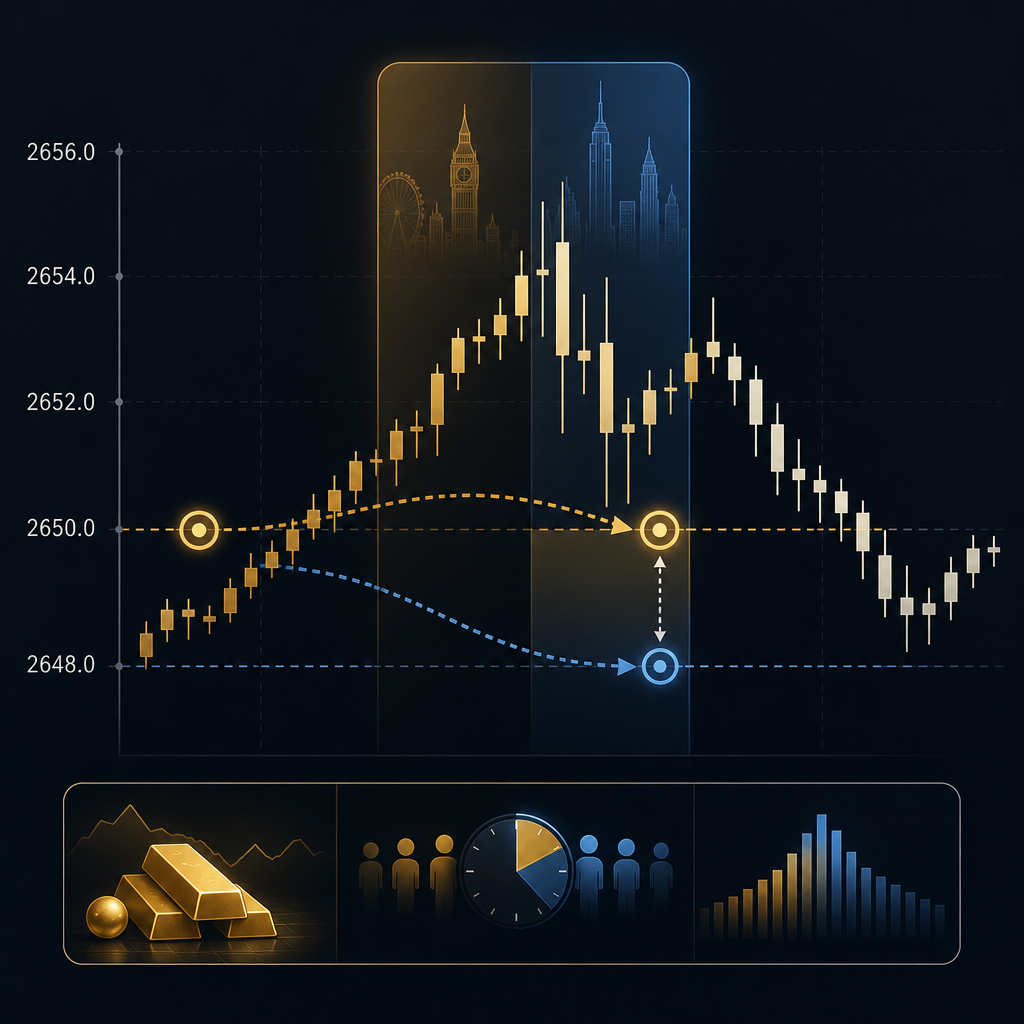
Gold is not EUR/USD. XAUUSD can move $3–$10 in minutes on normal days, and $15–$30 during news shocks.
Right now, with XAUUSD trading around $2650 (+0.35% in the last 24 hours), volatility is “healthy,” but not quiet. DXY at 106.80 and USD/JPY near 149.50 tells you the dollar is still a major driver of intraday swings.
What slippage looks like in real gold signal execution
Let’s say we publish a long idea:
- Buy XAUUSD: 2649.80
- Stop Loss: 2637.80 (12.0 points / $12)
- TP1: 2673.80 (24.0 points / $24) — 1:2 RR
- TP2: 2685.80 (36.0 points / $36) — 1:3 RR
If you slip by just $1.80 on entry (filled at 2651.60), your risk increases and your RR decreases instantly. On a 1.0 lot (100 oz), $1.80 is roughly $180.
Four causes of “bad fills” most traders misdiagnose
- Spread widening: your broker’s XAUUSD spread can jump from $0.20–$0.40 to $1.00+ around volatility.
- Price gaps / fast ticks: your click happens between ticks; the next tradable price is worse.
- Requotes (common in MT4 setups): broker rejects your price and offers a new one.
- Latency: VPS vs home Wi‑Fi can be the difference between 30 ms and 300 ms.
The goal of this article is not to promise “zero slippage.” That’s unrealistic. The goal is to help you control what you can control so your execution is consistent and predictable.
MT4 vs MT5 for XAUUSD: The Differences That Actually Matter
Most comparisons between MT4 and MT5 focus on indicators, timeframes, or “MT5 is newer.” For signal execution, only a few differences matter—and they matter a lot when gold is moving.
The execution-related features that change your results
- Order handling: MT5 supports more nuanced execution models and provides clearer reporting on partial fills.
- Fill policies: MT5 can expose broker-side fill rules like Fill or Kill (FOK), Immediate or Cancel (IOC), and Return.
- Netting vs hedging: MT5 can run either mode depending on broker; MT4 is typically hedging. For signal followers, hedging is often easier (multiple positions, partial closes).
- Depth of Market (DOM): MT5’s DOM can help you understand liquidity near key levels (useful around $2650 round numbers).
- Trade ticket controls: MT4’s “Deviation” setting is your main slippage control lever; MT5 adds fill policy and sometimes more explicit execution parameters.
Comparison table: MT4 vs MT5 for gold signal execution
| Feature | MT4 (XAUUSD) | MT5 (XAUUSD) | Why it matters for signals |
|---|---|---|---|
| Market execution controls | Deviation (slippage tolerance) + broker execution type | Deviation + fill policy (FOK/IOC/Return) where supported | Controls whether you get filled, partially filled, or rejected in fast moves |
| Partial fills | Often less transparent; broker-dependent | Typically clearer handling/reporting; policy selectable on many brokers | Helps avoid surprise position sizing when liquidity is thin |
| Pending order flexibility | Buy/Sell Limit, Buy/Sell Stop | Limit/Stop + Stop Limit (broker-dependent) | Stop Limit can reduce “chase fills” on breakout-style gold signals |
| DOM (Depth of Market) | Limited | Built-in DOM | Useful for timing entries around liquidity pools (2650/2660/2640) |
| Hedging support | Yes (common) | Depends on broker account type (hedging or netting) | Hedging makes scaling in/out easier when following multiple signals |
| Signal execution speed | Fast enough; depends more on broker/VPS | Fast; often smoother with modern broker infrastructure | In XAUUSD, milliseconds can mean $0.30–$1.50 difference |
If you’re choosing purely for XAUUSD signal execution quality, MT5 usually wins—if your broker exposes fill policies and you’re on a hedging-friendly setup. If you’re already profitable and consistent on MT4, you can still get excellent fills by using the right order types and slippage settings.
Order Types for XAUUSD Signals: Market vs Pending (MT4 and MT5)
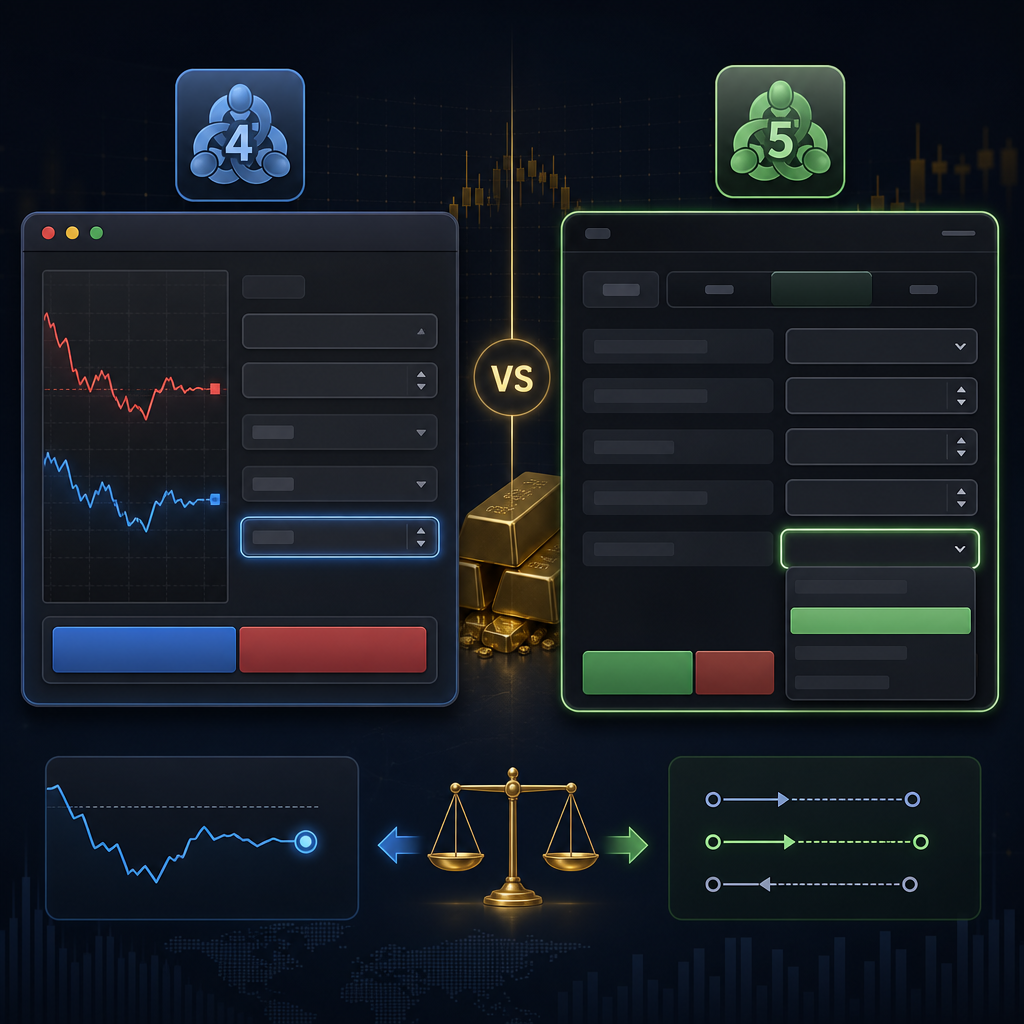
When traders complain about slippage, the real issue is usually that they’re using market orders when a pending order would have done the job with less stress.
In gold, market orders are like jumping onto a moving train. Sometimes you land clean. Sometimes you get dragged.
Market orders: when they’re appropriate
Market orders are best when your signal is designed for momentum continuation and your edge depends on getting in now.
- Example: XAUUSD breaks above 2656.00 with strong volume during NY open.
- Signal: Buy Market 2656–2657, SL 2644 (≈$12), TP 2680 (≈$24).
In that scenario, waiting for a limit order might mean you miss the move entirely.
Pending orders: the slippage-control workhorse
Pending orders shine when the signal expects a pullback or a retest. That’s common in gold because it loves to sweep liquidity and revisit levels.
- Example: Price is at 2650.00, and we anticipate a dip to the demand zone near 2642.50–2644.00.
- Signal: Buy Limit 2643.20, SL 2631.20 (≈$12), TP 2667.20 (≈$24).
If the dip happens quickly, your pending order can fill without you “chasing” the candle.
Stop orders and the breakout slippage trap
Buy Stop and Sell Stop orders are designed to enter on breakout. In XAUUSD, breakouts can be violent, and stop orders can fill worse than you expect.
If your broker supports it on MT5, a Stop Limit can help: it triggers like a stop order but only fills within a limit range.
Practical rule for signal followers
- If the signal says “Buy now” and price is already running, use a market order with a realistic slippage tolerance.
- If the signal provides an exact entry level or an entry zone, use a pending limit order whenever possible.
- If the signal is a breakout, consider MT5 Stop Limit (if available) to avoid getting filled $2–$5 away in a spike.
In our premium execution notes inside United Kings Gold Signals, we often specify whether the entry is “market acceptable” or “limit preferred.” That one line saves followers a lot of slippage over a month.
Fill Policies Explained (FOK, IOC, Return) — and Why MT5 Matters
This is where MT5 can genuinely outperform MT4 for XAUUSD signal execution.
MT4 traders often experience two confusing outcomes: a requote or a fill at a worse price. MT5, depending on broker, can let you choose a fill policy that aligns with your signal style.
Fill or Kill (FOK)
FOK means: fill the entire order immediately at the requested price/conditions, or cancel it.
For signal followers, FOK is useful when you’d rather miss a trade than get a messy fill. Example: you only want the long if you can get in near 2649.80, not 2652.00.
- Pros: avoids partial fills and avoids getting filled far away.
- Cons: you may miss trades during volatility; you’ll see more “order rejected/cancelled.”
Immediate or Cancel (IOC)
IOC means: fill whatever volume is available immediately, and cancel the remainder.
IOC is often the most practical for active gold sessions. If liquidity is thin for a moment, you might get partially filled instead of rejected.
- Pros: higher chance of getting at least some exposure.
- Cons: partial fills can create position sizing issues if you’re not watching.
Return
Return means: the order can be partially filled, and the remaining volume stays in the market to be filled later (depending on broker implementation).
For signal execution, Return can be helpful if you’re trading larger size or during brief liquidity gaps. But it can also lead to “drip fills” at different prices.
So what should you choose for XAUUSD signals?
Here’s a simple framework:
- Precision entries (limit-style signals): prefer FOK where possible. If you can’t get the price, skip it.
- Momentum entries (market-style signals): prefer IOC to reduce rejection risk in fast ticks.
- Larger size / scaling: consider Return only if you understand partial fill behavior.
Important: not every broker exposes these options, and some brokers label them differently. But if your MT5 ticket shows a “Fill policy” dropdown, you have a real execution advantage—especially around the London and NY sessions where we focus most of our trade ideas.
Slippage Controls Step-by-Step: MT4 Settings That Actually Work
MT4 can execute XAUUSD signals cleanly if you set it up for speed and define your slippage tolerance properly.
The key is understanding what MT4’s Deviation does—and what it doesn’t do.
Step-by-step: setting deviation on MT4 (desktop)
- Right-click XAUUSD in Market Watch → New Order.
- Choose Market Execution (if that’s your broker’s model) or place a pending order.
- Find the field labeled Deviation.
- Set a deviation that matches current volatility.
- Quiet conditions: try 10–20 points (broker point definition varies).
- Active London/NY: consider 20–50 points.
- Confirm your lot size, then add SL/TP if your broker allows it on the ticket.
- Click Buy or Sell.
Practical note: brokers define “points” differently for gold. On some, 1 point = $0.01; on others, 1 point = $0.10. Before risking real money, place a demo order and observe what a 20-point deviation actually means in dollars.
Step-by-step: using pending orders on MT4 to reduce slippage
- Open New Order → select Pending Order.
- Choose Buy Limit or Sell Limit for pullback entries.
- Enter the exact level from the signal (example: Buy Limit 2643.20).
- Set SL and TP immediately (example: SL 2631.20, TP 2667.20).
- Set expiration only if your signal is time-boxed (like “valid for 2 hours”).
- Place the order and leave it alone—don’t move it every 10 seconds.
MT4 “requotes” and what to do when they happen
If you get a requote during a gold spike near 2650, you have three choices:
- Accept it (often the worst choice if the new price ruins RR).
- Increase deviation slightly (if your strategy allows it).
- Switch to a pending limit setup if the trade thesis supports a pullback.
If you’re consistently getting requotes on MT4 during active sessions, the issue is often broker execution quality, not your clicking speed. That’s why serious signal followers test brokers on demo before committing size.
Slippage Controls Step-by-Step: MT5 Fill Policy + Deviation Setup
MT5’s biggest execution advantage is that it can expose fill policy and handle partial fills more gracefully—when your broker supports it.
That makes MT5 a strong choice for traders who follow gold signals on Telegram and need consistent fills across different volatility regimes.
Step-by-step: configuring an MT5 market order ticket for XAUUSD
- Open XAUUSD chart → click New Order (or press F9).
- Set Type: Market Execution (or Instant, depending on broker).
- Set Volume (your lot size).
- Set Stop Loss and Take Profit directly in the ticket if available.
- Find Deviation (sometimes shown as “deviation” or “maximum deviation”).
- For XAUUSD near 2650 in active sessions, start with a deviation equivalent to $0.30–$1.00 if your broker uses $0.01 points.
- Increase only if you’re getting rejected and the strategy can tolerate worse fills.
- Set Fill policy (if visible):
- IOC for momentum entries.
- FOK for precision entries.
- Return only if you understand partial fills.
- Execute the trade.
Step-by-step: using Stop Limit on MT5 (breakout slippage defense)
If your broker offers Buy Stop Limit / Sell Stop Limit, it can help you avoid the classic breakout trap: price triggers your stop and fills you at the top of the spike.
- Select Pending Order → choose Stop Limit.
- Set the Stop price where you want the breakout confirmed (example: 2656.20).
- Set the Limit price as the worst acceptable fill (example: 2656.80).
- Place SL/TP: SL 2644.80 (≈$12), TP 2680.80 (≈$24).
- If price gaps beyond your limit price, you won’t be filled—by design.
This is a professional-style control. It’s not about taking more trades. It’s about taking better trades—trades that keep the original risk-reward profile intact.
Partial Fills, Position Size Surprises, and How to Prevent Them
Most retail traders don’t think about partial fills until it happens. Then it’s chaos: you expected 1.00 lot, you got 0.37, and now your SL/TP math—and your psychology—are off.
Partial fills are more common when:
- Liquidity is thinner (late Friday, rollover time, pre-news pauses).
- You trade larger size relative to your broker’s available liquidity.
- You use fill policies like IOC or Return on MT5.
Why partial fills matter for gold signals
Gold signals often use tight, logical stops—typically $10–$25 away from entry, especially for intraday setups.
If you get partially filled and then manually “top up” at a worse price, you can accidentally turn a clean 1:2 setup into a messy 1:1.2.
How to prevent position size surprises (practical rules)
- Prefer pending limit orders for pullback entries. They often fill cleaner than market orders in spikes.
- On MT5, use FOK if you require full size or nothing.
- If you use IOC, decide in advance: will you accept partial size, or will you cancel and re-evaluate?
- Trade smaller size during known “execution danger windows” (news minutes, spreads widening, rollover).
A real scenario around $2650
Imagine XAUUSD is at 2649.90 and you receive a breakout buy signal. You place a 1.00 lot market order on MT5 with IOC. Price is moving fast, and liquidity is thin for a second.
- You get filled 0.40 lots at 2650.20.
- The rest cancels.
- You panic and buy the remaining 0.60 at 2651.30.
Your average entry becomes worse, your stop distance effectively increases, and your trade management becomes emotional.
The fix is simple: decide your rule before the signal arrives. Either accept partial fills as part of your plan, or use FOK/limit orders to avoid them.
Execution Playbooks: The Best MT4/MT5 Method for Each Signal Type
Signal execution isn’t one-size-fits-all. The “best” method depends on the signal structure.
Below are practical playbooks you can use immediately for the most common XAUUSD signal formats—using realistic prices around the current market near $2650.
Playbook A: Pullback entry (limit preferred)
Signal style: “Buy XAUUSD at 2643.20, SL 2631.20, TP 2667.20.”
- Best on MT4: Buy Limit + pre-set SL/TP.
- Best on MT5: Buy Limit + (optional) FOK if broker applies it to pending fills.
- Slippage control: pending order does the heavy lifting; avoid market orders.
Execution note: If price is already at 2643.40 and falling fast, don’t “chase” with market. Let the limit work or wait for confirmation.
Playbook B: Breakout entry (slippage risk high)
Signal style: “Buy on break and close above 2656.00, SL 2644.00, TP 2680.00.”
- Best on MT4: Buy Stop at 2656.10 (but accept potential slippage).
- Best on MT5: Buy Stop Limit (Stop 2656.10, Limit 2656.70).
- Slippage control: Stop Limit defines worst acceptable fill.
Playbook C: Market entry (momentum continuation)
Signal style: “Buy now 2650–2651, SL 2638, TP 2674.”
- Best on MT4: Market order with realistic deviation; avoid too-tight deviation that causes requotes.
- Best on MT5: Market order + IOC; set deviation to match volatility.
- Slippage control: reduce time-to-click (prepared ticket) + VPS if needed.
Playbook D: Scaling out (multiple take profits)
Many gold signals scale out: TP1 to reduce risk, TP2/TP3 to maximize trend capture.
- MT4 hedging: easiest to manage multiple positions (open two 0.50 lots with different TPs).
- MT5 hedging accounts: similar flexibility; netting accounts may require different management (single position).
Inside United Kings Signals, we format every alert with clear Entry, SL, and TP levels, so you can translate the idea into any of these playbooks without guessing.
How to Reduce Slippage Beyond the Platform: Broker, Sessions, and Latency
MT4 vs MT5 matters. But it’s only part of the execution equation.
If your broker widens spread aggressively or routes orders poorly, even perfect MT5 settings won’t save you in a fast gold candle.
1) Trade during the right liquidity windows (London & NY)
We focus heavily on London and New York sessions because liquidity is deeper and fills are generally cleaner.
- London open: spreads tighten, volatility increases.
- London/NY overlap: often the best mix of movement + liquidity.
- Late NY / rollover: spreads can widen; slippage risk rises.
2) Understand spread vs slippage (they compound)
Spread is the cost you see. Slippage is the cost you feel after clicking.
Example near $2650:
- Normal spread: $0.30
- Widened spread during spike: $1.20
- Slippage on market buy: $0.80
Your “hidden” cost becomes $2.00 ($200 per lot) before price even moves in your favor.
3) Latency: the most boring edge that pays
Signal followers underestimate latency. If you’re receiving signals via Telegram and executing manually, you’re already behind by a few seconds.
Two practical upgrades:
- Use a VPS close to your broker’s server location (cuts execution delay).
- Pre-load your ticket (volume, SL/TP, deviation/fill policy) so you only confirm entry.
4) Broker execution model: why “demo fills” can lie
Some brokers provide excellent demo execution and weaker live execution. That’s why we recommend testing with small live size before scaling up.
If you consistently see worse fills on live during active moves, consider:
- Switching from market orders to pending orders where possible.
- Reducing size during high-impact times.
- Using MT5 fill policies to avoid ugly fills (FOK/Stop Limit).
For more on how signals behave when the market goes chaotic, read how gold signals react to unexpected news events. Execution is often the first thing to break when volatility spikes.
Step-by-Step: A “Fast Entry” Workflow for Telegram XAUUSD Signals
If you want minimal slippage, you need a repeatable workflow. Not “wing it” execution.
Below is a battle-tested process we use and teach to signal followers who want cleaner entries on gold.
Step 1: Pre-session preparation (5 minutes)
- Open MT4/MT5 and confirm you’re logged into the correct account.
- Check XAUUSD spread before the session heats up.
- Mark key round numbers: 2640, 2650, 2660, 2675.
- Set your default lot size based on risk (not emotion).
Step 2: When the signal arrives, classify it in 10 seconds
Ask one question: Is this a market entry or a level entry?
- If it’s a level entry: build a pending order.
- If it’s a market entry: prepare to execute with deviation/fill policy set.
Step 3: Build the order ticket (don’t improvise)
Example signal:
- Sell XAUUSD: 2658.50
- SL: 2671.50 (13.0 points / $13)
- TP: 2632.50 (26.0 points / $26) — 1:2 RR
Ticket checklist:
- Volume correct
- SL correct (not a typo like 2761.50)
- TP correct
- Deviation/fill policy set
Step 4: Execute, then confirm fill quality
Immediately check:
- Fill price vs intended price
- Spread at entry moment
- Whether the RR is still acceptable
Step 5: If slippage breaks the setup, skip or reframe
This is where professionals separate from gamblers.
If you were supposed to sell 2658.50 and you got 2656.90, your stop is now larger relative to entry and the setup may be invalid.
Give yourself permission to not trade. Missing one trade is cheaper than forcing a bad fill.
If you want a deeper execution framework beyond gold, pair this guide with our forex signals provider checklist and risk management strategies when using signals. Execution and risk are inseparable.
Common MT4/MT5 XAUUSD Execution Mistakes (and Quick Fixes)
Most slippage problems are self-inflicted. Not because you’re careless—but because nobody taught you what matters.
Mistake 1: Using market orders for every signal
Fix: If the signal gives a level, use a pending limit. Save market orders for momentum entries only.
Mistake 2: Deviation set too tight (causing requotes/rejections)
Traders set deviation to near-zero hoping for “perfect fills.” In reality, you get rejected, then you chase at a worse price.
Fix: Set deviation to a realistic range based on current volatility. Test it on demo first.
Mistake 3: Not understanding broker point format on gold
On some brokers, 10 points equals $0.10. On others, it equals $1.00.
Fix: Place a tiny demo trade and record how many “points” correspond to $0.10, $0.50, and $1.00.
Mistake 4: Trading during spread blowouts
Gold spreads can widen aggressively around rollover or surprise headlines.
Fix: If spread is abnormal, either reduce size, use pending orders, or wait for conditions to normalize.
Mistake 5: Netting account confusion on MT5
Some MT5 accounts net positions (one position per symbol). That can confuse scaling and partial closes.
Fix: Ask your broker for a hedging MT5 account if you want to manage multiple entries like MT4.
Mistake 6: Moving SL/TP impulsively after a bad fill
After slippage, traders often widen SL “to give it room,” which breaks the original risk plan.
Fix: Recalculate risk. If the trade no longer fits your plan, close it or reduce exposure.
Execution is a skill. Once you build the habit, it becomes automatic—and your results become more stable.
Which Platform Should You Use for XAUUSD Signals in 2026?
Let’s answer the practical question: Should you follow gold signals on MT4 or MT5?
Choose MT4 if…
- You already have a stable MT4 routine and your broker gives you clean fills.
- You mostly trade pending limit entries (pullbacks/retests).
- You prefer simplicity and fast manual execution without extra options.
Choose MT5 if…
- You want access to fill policies (FOK/IOC/Return) and potential Stop Limit orders.
- You trade more momentum-style entries where slippage and partial fills matter.
- You want better transparency around execution and trade handling.
Our recommendation for most signal followers
If you’re starting fresh and your broker supports it properly, MT5 is usually the better choice for XAUUSD signal execution.
But we’ll be blunt: the broker matters as much as the platform. A great broker on MT4 can outperform a weak broker on MT5.
At United Kings, we design our alerts to be execution-friendly across both platforms. You’ll see clear entries, logical SL placement (often $10–$25 away in intraday structures), and TPs that respect realistic 1:2 to 1:3 risk-reward.
If you want to follow gold and forex together, explore our Forex Signals alongside Gold Signals. If you also trade digital assets, we have a separate stream for Crypto Signals so you don’t mix volatility profiles.
FAQ: MT4 vs MT5 XAUUSD Signal Execution
1) Is MT5 always better than MT4 for XAUUSD?
No. MT5 is often better for execution if your broker supports fill policies and offers good liquidity. MT4 can still perform excellently, especially for pending limit entries.
2) What deviation should I use for gold on MT4/MT5?
There’s no universal number because brokers define “points” differently. As a starting point, aim for a deviation equivalent to roughly $0.30–$1.00 in active sessions, then test on demo and adjust based on rejection vs slippage.
3) How do I stop getting slipped on market orders during spikes?
You can’t eliminate it, but you can reduce it by (1) trading during liquid hours, (2) using MT5 Stop Limit for breakouts, (3) using pending limit orders for pullbacks, and (4) improving latency with a VPS.
4) What fill policy should I use on MT5 for gold signals?
For momentum market entries, IOC is often practical. For precision entries where you’d rather skip than get a bad fill, FOK is better. Use Return only if you understand partial fills and position sizing impacts.
5) Why does my demo account get perfect fills but live account slips?
Demo execution can be “idealized.” Live markets include real liquidity constraints, spread widening, and routing differences. Always test execution with small live size before scaling.
Risk Disclaimer (Read This Before You Trade)
Forex and gold trading involves significant risk and is not suitable for all investors. Slippage, spread widening, gaps, and volatility can cause losses larger than expected, especially on leveraged products. Past performance does not guarantee future results. Nothing in this article is financial advice.
If you’re new, start on a demo account and use conservative risk per trade. Always use a stop loss, and never risk money you cannot afford to lose.
Ready to Execute XAUUSD Signals Like a Pro?
If you want gold signals that are designed for real execution—not theory—join the United Kings community.
We deliver premium Telegram signals for forex and gold with clear Entry, SL, and TP levels, plus educational guidance to help you execute confidently in London and NY sessions. Our win rate is historically 85%+ (see results and methodology for how it’s calculated), but remember: no provider can guarantee profits.
Choose your plan
- Starter (3 Months): $299 (~$100/mo)
- Best Value (1 Year): $599 ($50/mo) + FREE ebook
- Unlimited (Lifetime): $499 pay once
See all three options on our pricing page. We also offer a 48-hour refund window (conditions apply—see refund policy).
Join our Telegram now: United Kings Signals on Telegram
Or explore everything we offer on UnitedKings.net and browse more guides in our trading blog.