You followed a signal, the trade closed, and then you noticed it: your MT5 close price different from the signal’s close price. Sometimes it’s a tiny difference. Other times it’s big enough to change your result and make you question the signal, the broker, or MT5 itself.
In most cases, this “signal exit price mismatch” is not a mystery. It’s the normal result of how MT5 executes orders, how spreads change, and how brokers source liquidity. The key is knowing which cause applies to your trade, and how to reduce the gap next time.
Key takeaways
- Signals often quote a “target level,” but MT5 fills at the best available price (and that can be different during fast moves).
- Spread widening is the #1 reason exits don’t match—especially on gold (XAUUSD) and around news/rollover.
- Execution mode and fill policy (Market vs Instant, FOK vs IOC vs Return) can change your final close price.
- Partial fills can produce an average close price that won’t match a single “signal close price.”
- You can verify the exact reason in MT5 using the Journal, Experts, and trade/deal details (your “mt5 execution log”).
- You can reduce mismatches by trading liquid hours, avoiding “close during news,” using sensible deviation settings, and choosing stable execution conditions.
What “close price” actually means in MT5 (and in a signal)
Before we blame anything, we need to define “close price,” because MT5 and signal messages often refer to different things.
MT5 has multiple prices at the same time
On MT5 you always have:
- Bid: the price you can sell at (and the price used to close buy positions).
- Ask: the price you can buy at (and the price used to close sell positions).
- Last (sometimes): exchange-style last traded price (often not relevant for OTC CFDs).
If your signal says “TP 2,405.00” (hypothetical example), that’s a level. But your actual fill depends on whether your position closes on Bid or Ask, what the spread is at that moment, and whether price jumps through that level.
Signals usually report one of these (and it matters)
Depending on the provider, a “close” might mean:
- TP/SL level hit (the level on the chart), not necessarily the exact fill.
- Average fill price (especially if multiple partial fills occurred).
- Provider’s broker fill, which can differ from yours because liquidity/spread differ.
- Manual close price (if the provider closed early), which depends on their execution conditions.
This is why two honest traders can follow the same signal and still see different close prices.
Why your MT5 close price different from the signal: the real causes

Below are the most common causes of a signal exit price mismatch, with practical ways to identify each one.
1) Spread widening (especially on XAUUSD)
Spread is not fixed. When volatility rises or liquidity drops, brokers widen spreads to manage risk. That widening changes which price hits your TP/SL first and what your close fill looks like.
How it creates a mismatch
- Buy position closing at TP: your TP is triggered by Bid. If spread widens, Bid may lag behind Ask, so your TP triggers later (or not at the same time the signal shows).
- Sell position closing at TP: your TP is triggered by Ask. If spread widens, Ask may spike and touch levels sooner/later than expected.
Hypothetical example (method only)
Example: you are buy XAUUSD with TP at 2,405.00. In a calm market, spread might be 0.30. During a fast move, spread widens to 1.50. Your chart might show price “touching” 2,405 on the Ask, but the Bid (used to close your buy) may still be 2,404.20. Your position doesn’t close yet, or it closes later at a different price when Bid finally reaches the trigger.
When spread widening is most likely
- High-impact news (CPI, NFP, FOMC)
- Market open/close transitions and low-liquidity hours
- Daily rollover (swap time), often around server end-of-day
- Sudden spikes on gold (XAUUSD) where liquidity can thin out
How to confirm it
Look at the time your trade closed and compare it to the spread at that moment (in Market Watch, or by checking tick data if you have it). If the close happened during a known “spread-risk window,” that’s your clue.
If you want a deeper survival plan for gold execution conditions, see our best time to trade xauusd guide.
2) Slippage: your order filled at the next available price
Slippage happens when the price moves between the moment your order is triggered and the moment it is executed. MT5 then fills you at the best available price it can get from the broker’s liquidity at that instant.
Common slippage scenarios on exits
- Stop loss during a spike: price jumps through your SL level, so you’re filled worse.
- Take profit during a gap-like jump: price may jump past your TP and fill you at a different price (sometimes better, sometimes worse depending on direction and broker).
- Manual close with a market order in a fast market: you click close, but the fill is a few ticks away.
Hypothetical example (method only)
Example: you have a sell on EURUSD with TP at 1.08000. Price drops quickly and your TP triggers, but the next tradable Ask is 1.08006 due to rapid movement and spread. Your close prints at 1.08006, not 1.08000. The signal may report “TP hit 1.08000” because that was the level, not your fill.
How to confirm it
In MT5, check the Deal record for the position close. If the deal price differs from your TP/SL level, and the market was moving quickly, slippage is the likely reason.
3) Execution mode: Market vs Instant (and why it changes outcomes)
Not all MT5 brokers use the same execution model. Two common ones are:
- Market execution: you request an order, and it fills at the best available price. Requotes are typically not used; instead you get slippage.
- Instant execution: you request a price; if the price changes, the broker may send a requote (or reject), and you accept or decline.
Why this causes signal exit price mismatch
- On market execution, you might get filled away from the signal’s level during volatility.
- On instant execution, you might get requotes or delays, meaning your close happens later at a different price.
Where to see your execution type
In MT5, check the symbol specification (right-click the symbol in Market Watch → Specification). Look for execution and filling settings. Brokers label these differently, but you’ll usually see something indicating market/instant execution and supported filling modes.
4) Fill policy (FOK, IOC, Return): the “hidden” setting that changes your average close
MT5 has filling policies that control what happens if there isn’t enough liquidity to fill your full volume at your requested price.
- FOK (Fill or Kill): the order must be filled completely or not at all.
- IOC (Immediate or Cancel): fill what’s available now; cancel the rest.
- Return: partial fills are allowed and the remainder stays pending (depends on broker/symbol).
How this shows up on exits
If your position is larger and liquidity is thin (common during spikes), the close might happen in multiple pieces at multiple prices. MT5 then shows an average close price for the position, which can differ from the signal’s single reported close.
Hypothetical example (method only)
Example: you close 2.00 lots of XAUUSD during a fast move. Liquidity at your first available price only covers 1.20 lots, and the remaining 0.80 fills a moment later 0.80 dollars away. Your history shows one position close but multiple deals, and the position’s close price becomes an average. The signal provider, closing a smaller size or with different liquidity, may get a single clean fill.
5) Partial fills: your close is an average of multiple deals
Partial fills deserve their own callout because they are one of the most misunderstood reasons traders see “MT5 close price different” and assume something is wrong.
What to look for
- Your position (one line) closed, but in History you see multiple deals at different prices for the closing action.
- The final close price shown for the position looks like it’s “in between” two obvious prices.
How to confirm it in MT5
Open Toolbox → History, then switch the view to show Deals (not only Orders/Positions). If you see more than one deal for the close, you had a partial fill scenario.
6) Requotes and “price changed” messages (instant execution)
If your broker uses instant execution, you may see requotes. That means the broker did not accept your requested close price and offered a new one.
How it creates mismatch
- You attempt to close near the signal’s close time.
- The broker requotes due to fast movement.
- You accept (or the platform auto-accepts depending on settings), and the trade closes at the new price.
Where to see it
Check Toolbox → Journal and Experts for messages like “Requote,” “Price changed,” “Off quotes,” or “Order rejected.” Those lines are your evidence trail.
7) Broker liquidity differences: the signal’s broker is not your broker
Even if two brokers quote “the same market,” they can have different:
- Spreads (average and during volatility)
- Liquidity providers and depth
- Execution speed and routing
- Stop/limit handling rules
This alone can explain why the signal’s exit prints at one price and yours prints at another—especially on XAUUSD where spreads and liquidity can vary a lot across brokers.
Important detail: some brokers also use different symbol specifications (for example, XAUUSD with different contract sizes, digits, or tick sizes). That doesn’t “change the market,” but it can change how you experience execution and rounding.
8) Time differences: server time vs Telegram time vs your local time
Signals are often time-stamped in Telegram (your phone time zone), while MT5 uses broker server time. If you compare “close time” without converting time zones, you may think the signal closed earlier/later than it actually did.
How it creates a mismatch
- You assume you closed “at the same time,” but you’re comparing different clocks.
- You miss that the close happened during a short volatility burst (spread widened for 20 seconds), which explains the different fill.
Quick comparison table: symptom → likely cause → where to check
| What you notice | Most likely cause | Where to confirm in MT5 |
|---|---|---|
| TP/SL level was touched on chart but trade didn’t close | Bid/Ask difference + spread widening | Market Watch (Bid/Ask), tick view if available, compare which side triggers your exit |
| Trade closed but at a worse/better price than TP/SL | Slippage during fast move | History → Deals (deal price vs TP/SL), Journal for execution messages |
| Close price looks like an “average” and doesn’t match any candle | Partial fills | History → Deals (multiple close deals at different prices) |
| You see “price changed / requote / off quotes” | Instant execution + requotes | Toolbox → Journal and Experts |
| Your friend’s close matches the signal but yours doesn’t | Broker liquidity/spread differences | Compare spreads at the close time; check symbol specification and execution model |
| Signal says “closed at 14:05” but your MT5 shows 16:05 | Time zone/server time mismatch | Check broker server time in Market Watch; convert Telegram/local time accordingly |
Step-by-step: diagnose a signal exit price mismatch using the MT5 execution log
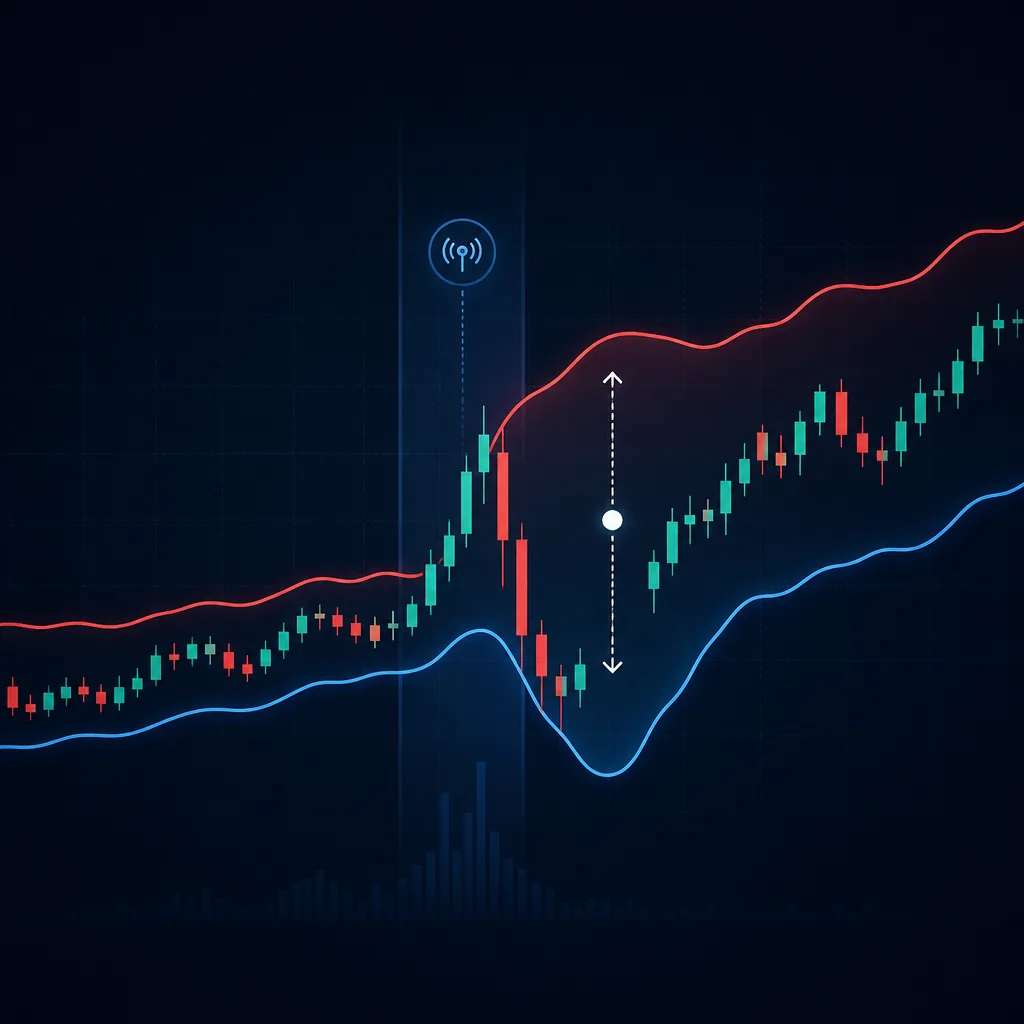
This is the fastest way to stop guessing. Do it once properly and you’ll usually find the cause within a few minutes.
Step 1: Capture the signal details (before they scroll away)
- Instrument (e.g., XAUUSD, EURUSD)
- Direction (buy/sell)
- Exit type (TP1/TP2, full close, manual close, SL)
- Signal’s stated close price and close time (your local/Telegram time)
Even better: screenshot the message so you don’t misread digits later.
Step 2: Find your position and the exact close in MT5 History
- Open Toolbox (often Ctrl+T on desktop).
- Go to History.
- Set the date range to include the trade.
- Locate the position/order and note the close time and close price.
Step 3: Switch from “Orders/Positions” to “Deals”
This is where many traders stop too early. Deals show the actual fills.
- If you see one deal for the close, you likely had a single fill.
- If you see multiple deals closing the same position, you had a partial fill and your close price is an average.
Step 4: Check whether Bid or Ask should have triggered the exit
- Buy positions close on Bid.
- Sell positions close on Ask.
If your comparison is based on the wrong side of the quote, you’ll think the exit “should have happened” when it actually shouldn’t.
Step 5: Open the Journal and Experts tabs for execution messages
Now we check the mt5 execution log evidence.
- Go to Toolbox → Journal and scroll to the close time.
- Also check Toolbox → Experts (especially if you used an EA, copier, or trade manager).
Look for phrases like:
- requote, price changed, off quotes
- partial fill, filled, deal
- invalid price, rejected
Step 6: Check symbol specification (execution + filling modes)
- Market Watch → right-click symbol → Specification
- Note execution model and supported filling types
This step often explains why your friend (different broker) got a cleaner close.
Step 7: Align times (server time vs Telegram time)
Write down:
- Signal close time as shown in Telegram (your device time zone)
- Your MT5 close time (broker server time)
Convert one to the other. If the “mismatch” disappears after conversion, the price difference may simply be because you were comparing the wrong minute.
How to reduce close-price discrepancies in future trades
You can’t eliminate spreads, volatility, or broker differences. But you can reduce how often they hit you.
1) Avoid closing during known spread-risk windows
If you’re trading XAUUSD or major forex pairs, your worst mismatches tend to happen during:
- High-impact news releases
- Rollover (swap) time
- Very late/very early hours when liquidity is thin
When possible, plan exits away from those windows. If you trade signals that may close during news, accept that the fill can differ from the level.
Related reading: if you’re newer to gold execution, start with gold trading for beginners.
2) Use realistic risk settings so slippage doesn’t break your plan
Slippage hurts most when your stop is tight relative to typical volatility/spread.
Instead of focusing on “matching the signal to the cent,” focus on controlling risk per trade.
- Choose a fixed account risk (example: 0.5% or 1% per trade).
- Size your lot so that a slightly worse fill doesn’t become oversized risk.
Tools that help: a lot size calculator and a forex risk management framework.
3) Understand your platform settings (deviation, one-click trading, EAs)
If you close manually or with a trade manager/copier, check:
- Deviation (maximum price deviation allowed). Too tight can cause rejections; too loose can allow larger slippage.
- One-click trading behavior and confirmations.
- EA/copier settings that may batch close orders or close at different triggers.
When you see a mismatch, always ask: “Did I close manually, or did an EA/copier close it?” That changes where you should look (Experts log becomes critical if an EA is involved).
4) If you scale in/out, expect different average closes than the signal
Many traders modify signals by:
- Taking partial profits earlier
- Moving stop to breakeven
- Closing half at TP1 and the rest at TP2
Those are valid trade management choices, but they guarantee your “close price” won’t match a signal that closed everything at one level/time. Always compare like-for-like: same volume, same exit method, same timing.
5) Compare the right number: level vs fill vs average
When the signal posts a close, decide what you’re comparing:
- TP/SL level (a chart level)
- Your deal fill price (execution)
- Your position average close price (may combine multiple deals)
Most confusion disappears once you compare the same type of price.
6) Don’t ignore contract/digits differences on XAUUSD
Gold symbols can differ by broker (digits, tick size, suffixes). If your broker quotes XAUUSD with different decimal precision than the signal’s broker, rounding can make the “same” close look different.
This rarely explains a large mismatch by itself, but it can explain small “off by 0.01/0.1” type differences.
Common mistakes traders make when checking mismatched exits
- Comparing candle close to trade close: your trade closes on Bid/Ask, not the candle’s “close” value.
- Looking only at Positions, not Deals: you miss partial fills and average pricing.
- Ignoring time zones: server time vs local time leads you to the wrong minute of price action.
- Assuming the signal’s broker conditions are identical: spreads and liquidity vary across brokers.
- Tight stops during news: then blaming the signal when slippage was predictable.
Practical mini-checklist you can save (30 seconds)
- Same instrument? (XAUUSD vs XAUUSDm / suffixes)
- Same exit type? (TP hit vs manual close vs SL)
- Correct side? (buy closes on Bid, sell closes on Ask)
- Deals view checked? (one fill or partial fills)
- Journal/Experts checked? (requotes, off quotes, rejections)
- Time aligned? (server time vs Telegram time)
FAQ
Why did my TP get hit on the chart but MT5 didn’t close the trade?
Most often you were watching the wrong quote side. A buy closes on Bid, a sell closes on Ask. If spread widened, the side that triggers your TP/SL may not have reached the level even if the chart looked like it did.
Where exactly is the mt5 execution log?
In MT5 desktop, open Toolbox and check Journal for platform/broker messages. If you used an EA or trade copier, also check Experts. For fill details, use History → Deals.
Is a different close price proof the signal was wrong?
No. A signal can be correct about the intended level and still produce different fills across brokers due to spread, slippage, and liquidity. What matters is whether you executed the same idea with controlled risk and understood the conditions you traded in.
Can I prevent slippage completely?
No. You can reduce it by avoiding high-volatility moments, trading liquid sessions, using reasonable position sizes, and understanding your broker’s execution model. Practising on a demo account helps you see how your broker behaves before risking real money.
Why do my friends get closer fills than I do?
They may have a different broker (tighter spreads, better liquidity), different execution/fill policy, smaller trade size (less chance of partial fills), or they may be closing at a slightly different time due to time zone confusion or manual delays.
Risk warning: Trading forex and gold (XAUUSD) involves a significant risk of loss and is not suitable for every investor. Execution differences, spread widening, and slippage can materially affect results. Past performance does not guarantee future results. This article is for education only and is not personal financial advice. Consider practising on a demo account before trading live.
If you want structured trade alerts you can compare and track, United Kings sends forex and gold signals on Telegram with an entry, stop loss, and take-profit levels. You can view a selection of signals in our public telegram channel, and see how we present performance on our results page with the calculation notes on methodology. If you’re comparing providers, you can also explore our pages for best forex signals and best gold signals, and review pricing if you want VIP access.